How to Use ChatGPT to Find a Domain Name (2026 Guide)


Using ChatGPT to find a domain name means using the AI chatbot to brainstorm, filter and refine name ideas before you check availability and register one.
ChatGPT is fast at the creative part of naming. It can turn a two-sentence description of your business into dozens of candidates in seconds, explain why each one might work and rework the list as many times as you like.
What ChatGPT doesn't do is register anything. It also can't promise that a name it suggests is free, because its ideas come from language patterns rather than a live registry. This guide covers the full workflow, the prompts that work best and the checks that keep you from falling for a name you can't actually buy.
Quick Answer: To use ChatGPT to find a domain name, describe your business, audience and tone, then ask for a batch of short name ideas in a specific style. Shortlist your favorites, check each one in a registrar's domain search and register the one that's both available and easy to say out loud.
What ChatGPT can and can't do when you're looking for a domain name
ChatGPT is a general-purpose AI assistant built by OpenAI. For domain hunting, it works best as a brainstorming partner that never runs out of ideas, rather than as a domain tool in its own right.
The split between what it handles well and what it can't touch is worth knowing before you start:
It can generate name ideas in different styles, from real words to invented ones
It can explain the tone or connotation of a name and flag awkward spellings
It can suggest domain extensions that fit your industry or audience
It can't query a domain registry in real time, so it can't confirm a name is unregistered
It can't register, pay for or hold a domain on your behalf
It can't run a trademark clearance search, although it can point out obvious brand collisions
The practical upshot is a two-tool workflow. ChatGPT produces the shortlist, and a registrar confirms what's free, so before you get attached to anything, run each candidate through a domain name search on Wix, which checks availability across popular extensions in one pass and flags premium names.
The nuance: even with web browsing turned on, ChatGPT's answer reflects a snapshot of what it found, not an authoritative registry lookup. A name can look free in a chat and be registered by someone else ten minutes later, so the registrar's own search result is the only one that counts.
Why ChatGPT works well for domain name brainstorming
ChatGPT works well for naming because the hard part of finding a domain is generating enough good options. Most short, obvious names in popular categories were registered years ago, which means you usually need a long list before you find one that's both appealing and available.
The scale of the problem is real. The Domain Name Industry Brief, published by Verisign, counted 401.6 million registered domain names across all extensions at the end of Q2 2026, including 166.6 million .com names alone.
A chatbot changes the economics of that search. Asking for 30 ideas costs you a few seconds, and asking for 30 more in a different style costs a few more. Manual brainstorming tends to circle the same handful of words, while a well-prompted AI can push you toward compound words, invented words and metaphors you wouldn't have reached on your own.
ChatGPT also explains its reasoning on request. Asking "why did you suggest this one?" often surfaces a connotation you'd missed, good or bad, which is useful when you're about to put a name on every invoice and business card you produce.
How to use ChatGPT to find a domain name in 7 steps
The workflow below takes most people between 20 minutes and an hour, depending on how crowded their category is. The steps are:
Write a short naming brief
Ask for a first batch of names in mixed styles
Pick a direction and refine
Ask ChatGPT to critique its own shortlist
Check availability in a registrar's search
Run the say-it-out-loud and trademark checks
Register the winner and protect it
Step 1: Write a short naming brief
A naming brief is a few sentences describing what you're naming, who it's for and how it should feel. ChatGPT's output is only as specific as your input, and "give me domain names for a bakery" produces generic results.
A strong brief covers five things:
What the business, product or project does
Who the customer is, described as a person rather than a demographic
The tone you want, such as warm, premium, playful or technical
Hard limits, like a maximum length or words you never want to see
Your preferred extension, if you already have one in mind
Step 2: Ask for a first batch of names in mixed styles
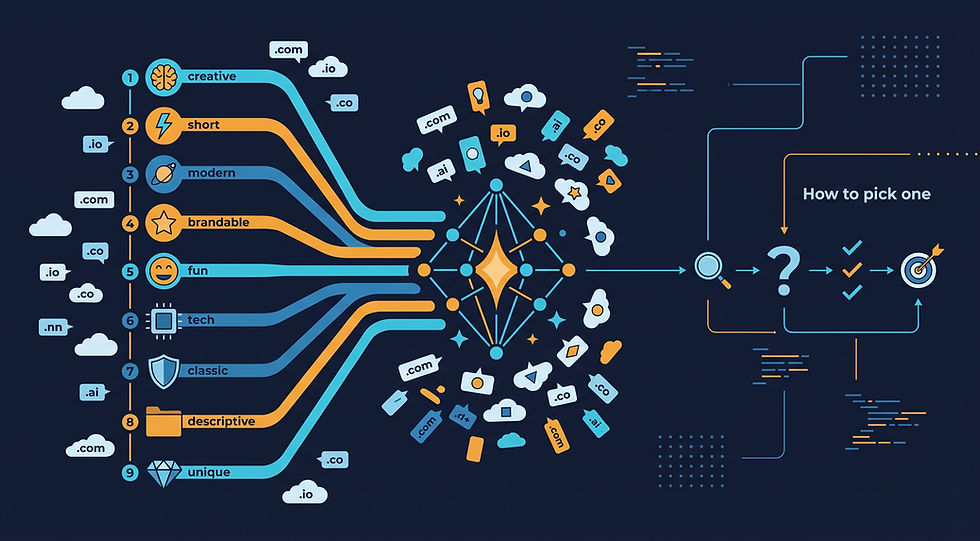
The first batch should be wide rather than deep. Ask for 20 to 30 names split across styles so you can see which direction feels right before you commit to one.
A useful split is real words, compound words, invented words and names built around a keyword. Ask ChatGPT to group the results by style and keep each name under 12 characters, since shorter names are easier to type, remember and fit on a logo.
Step 3: Pick a direction and refine
Refining beats restarting. Tell ChatGPT which names came closest and why, then ask for ten more in that direction.
Specific feedback converges faster than vague feedback. "I like the rhythm of number 4 but it sounds too corporate" gives the model something to work with, while "none of these are right" just produces another random batch.
Step 4: Ask ChatGPT to critique its own shortlist
Once you have five to ten favorites, ask ChatGPT to argue against each one. Good critique prompts ask whether a name is easy to spell after hearing it, whether it could be misread when written in lowercase and whether it resembles a well-known brand.
The lowercase test matters more than people expect. Several famous domain names read very differently when the words run together, and a quick review catches that before you've printed anything.
Step 5: Check availability in a registrar's search
Availability checking is the step ChatGPT can't do reliably. Copy your shortlist into a registrar's domain search and check each name, ideally across two or three extensions at once.
Expect attrition. In a busy category it's normal for most of a shortlist to be taken or listed as a premium domain, which is a domain the registry or a reseller prices well above the standard rate.
Step 6: Run the say-it-out-loud and trademark checks
The say-it-out-loud check means reading the name to someone who hasn't seen it and asking them to type it. If they misspell it, customers will too.
A basic trademark check means searching the name in your country's trademark database, such as the USPTO's search system in the United States. ChatGPT can flag obvious collisions, but it isn't a substitute for a real search when you're building a business on the name.
Step 7: Register the winner and protect it
Registering the domain happens on a registrar's site, where you choose a term length, add privacy protection and pay. Most registrars let you register for one to ten years, and turning on auto-renewal prevents the most common way people lose a domain, which is simply forgetting to renew it.
Learn more: how to buy a domain using Claude AI
ChatGPT prompts for finding a domain name
Good domain prompts share three traits: they describe the customer, set a length or style limit and say what to avoid. The templates below can be pasted into ChatGPT and adapted to your business.
"Suggest 25 short, brandable domain names for [business] aimed at [customer]. Keep each under 12 characters, group them by style and avoid hyphens and numbers."
"Give me 15 invented, easy-to-pronounce words that could work as a brand for [business]. Explain what each one evokes."
"Combine one word about [core benefit] with one word about [customer or place] to create 20 two-word domain names."
"My first choice, [name].com, is taken. Suggest 10 close alternatives using prefixes, suffixes or a different extension, and rank them by memorability."
"Here are my five favorite names: [list]. For each, tell me how it could be misspelled, misread in lowercase or confused with an existing brand."
"Suggest domain extensions that suit a [industry] business in [country], and explain what each one signals to visitors."
How to write a better domain name prompt for ChatGPT
A better prompt gives ChatGPT constraints, not just a topic. Constraints feel limiting, but they're what push the model away from the same generic suffixes it reaches for by default.
Three small additions make the biggest difference. Name your rejects up front, so you don't see "-ly", "-ify" and "hub" in every batch. Ask for a reason next to each name, which forces more deliberate suggestions. Ask for a mix of safe and bold options, so you can see the full range in one view.
Here's the subtlety: popular AI naming patterns get suggested to a lot of people at once. If a name feels like the kind of thing an AI would invent, there's a good chance someone else already asked a chatbot the same question and registered it, so lean toward names that use details only you know about your business.
How to check if a ChatGPT domain name idea is available
Checking a ChatGPT domain suggestion takes about a minute per name. The process is the same whichever registrar you use:
Copy the exact spelling from the chat, without spaces or capital letters
Paste it into a registrar's domain search
Note which extensions are available and their first-year and renewal prices
Mark any result labeled premium, since those carry a much higher price
Repeat for each shortlisted name before choosing
Pricing deserves a second look. At Wix, for example, a .com currently costs $7.90 for the first year and renews at $21.35, and .net is $11.90 renewing at $22.90, so the renewal price is the number to budget around.
What to do when ChatGPT's favorite name is taken
A taken name isn't a dead end. You have four common options, and ChatGPT can help with each:
Try a different extension, such as .co, .io or an industry extension like .shop
Add a short, relevant word, like a location, a verb or your product category
Rework the name into a new invented word with a similar sound
Check whether the domain is listed for sale, then decide whether the price is worth it
A free WHOIS lookup shows who registered a domain and when it expires, unless the owner uses privacy protection. WHOIS is the public registration database for domain names, and it's a useful way to tell whether a taken name is in active use or simply parked.
How to judge ChatGPT domain name ideas before you buy
A good domain name passes a handful of tests that have nothing to do with how clever it sounds in a chat window. Before you register, check each finalist against these criteria:
Length: shorter is easier to type and remember, and most strong brand domains are under 15 characters
Spelling: a listener should be able to type it correctly after hearing it once
Clarity: it should hint at what you do, or be distinctive enough to own outright
Flexibility: it shouldn't box you into one product if you plan to expand
Collisions: it shouldn't closely resemble an established brand in your field
Social handles: the same name should ideally be available on the platforms you'll use
"Your domain name is your online home address, and just like in real life, location matters. Pick something short, easy to say out loud and easy to remember. If someone can recall it after hearing it once, you're on the right track." — Ofir Gvili, Domains Product Marketing Manager at Wix
The one-hearing test is the most useful filter you can apply to an AI shortlist. ChatGPT is good at names that look striking on screen, but a domain spends much of its life being said out loud, on calls, in podcasts and in word-of-mouth referrals.
Learn more: how to trademark a domain name
How to choose a domain extension with ChatGPT's help
A domain extension, also called a top-level domain or TLD, is the part of a web address after the final dot, such as .com or .org. ChatGPT is useful here because it can explain what each extension signals, which isn't always obvious.
The extension landscape is large. The DNIB counted 1,265 generic TLDs and 316 country-code TLDs delegated in the internet's root zone as of June 30, 2026, though only a handful account for most registrations.
A sensible extension strategy follows a simple order:
Take the .com if it's available and the price is reasonable, since it's still the default people type
Consider a country-code extension, such as .co.uk or .de, if you only serve one country
Consider an industry extension, such as .shop, .studio or .tech, if it adds clarity rather than novelty
Avoid obscure extensions chosen only because the first year is cheap
A country-code TLD, or ccTLD, is a two-letter extension tied to a country or territory, like .de for Germany. Some are open to anyone, while others require a local address or business registration.
The nuance: asking ChatGPT for names and extensions together gives better results than picking a name first. A prompt like "five names that work as .com and five that work as .shop" produces complete options you can compare, instead of a favorite name you can only get on an extension you don't like.
Using ChatGPT to find a domain name for a Wix website
The ChatGPT workflow is the same whatever platform you build on, but it helps to plan the website and the domain together. If you're building on Wix, you can brainstorm with ChatGPT, check the shortlist in the Wix domain search and connect the winner to your site in the same account.
Wix includes a free domain for the first year with any annual website plan, and the voucher needs to be redeemed within two months. After the first year, the domain renews at the standard rate for its extension.
Wix also lists more than 400 extensions, includes free WHOIS privacy and a free SSL certificate, and doesn't add a separate ICANN fee to the price. ICANN is the nonprofit that coordinates the domain name system and accredits registrars.
A useful ChatGPT prompt for this situation is "Suggest 20 names for a [type of site] that would work as a .com or a .studio, and say which ones suit a portfolio site." It keeps the website's purpose in view while you're naming.
ChatGPT vs domain name generators vs manual brainstorming
Each naming method has a different strength, and many people combine them. The comparison below covers the trade-offs:
Method | Speed | Checks availability | Explains its ideas | Best for |
ChatGPT | Very fast | No, not reliably | Yes, on request | Turning a vague idea into a varied shortlist |
Registrar domain name generator | Fast | Yes, live results | Rarely | Finding available variations of a keyword |
Manual brainstorming | Slow | No | Yes, it's your reasoning | Names built on personal or local meaning |
Naming agency | Slow | Yes, as part of the service | Yes, in depth | Major brand launches with a budget |
A domain name generator is a tool, usually run by a registrar, that suggests available domain names based on a keyword. Its main advantage over ChatGPT is that its suggestions come with live availability, and its main weakness is that the ideas tend to be keyword-plus-suffix combinations.
The strongest workflow often uses both. ChatGPT supplies the creative range, and a generator or registrar search tells you which of those ideas you can actually register today.
A worked example of finding a domain name with ChatGPT
A worked example shows how the steps fit together in practice. Imagine you're launching a dog-walking service in Austin, Texas, aimed at busy professionals who want a reliable walker without a long-term contract.
Writing the naming brief for a dog-walking domain
The brief you'd give ChatGPT might read: "I'm starting a dog-walking service in Austin for busy professionals. The tone should be friendly and dependable, not cutesy. Suggest 25 names under 12 characters, grouped by style, with no puns on 'paw' or 'woof'."
Banning the obvious puns is the most useful line in that brief. Pet-business names lean heavily on a small set of words, and those are exactly the names most likely to be registered already.
Refining ChatGPT's first batch of dog-walking names
The first batch would typically mix real words, compound words, invented words and local names. Some will feel wrong immediately, and a few will be close but not quite right, perhaps with the right sound but a confusing spelling.
Refining is where the shortlist takes shape. A follow-up like "I like the local feel of the Austin-based names, give me ten more that reference the city without using the word Austin" pushes ChatGPT toward neighborhoods, landmarks and regional slang that a generic generator wouldn't offer.
Checking the dog-walking domain finalists
Three or four finalists then go into a registrar's domain search. In a crowded category, expect at least one of them to be taken on .com, which is where extension alternatives or a short added word come in.
The finalists that survive get the one-hearing test with a friend and a quick trademark search. Whichever name passes all three checks is the one to register, ideally the same day.
What the ChatGPT naming example shows
The example shows where ChatGPT saves time and where it doesn't. The brainstorming that might take an afternoon by hand takes minutes, but the availability check, the trademark search and the registration take exactly as long as they would without AI.
That division of labor is the real value. ChatGPT expands the options at the start, so the name you finally choose feels chosen rather than settled for.
Common mistakes when using ChatGPT to find a domain name
Most ChatGPT naming mistakes come from treating the chat as the final word. These are the ones that cost people the most time or money:
Falling for a name before checking availability, which leads to disappointment and rushed second choices
Trusting ChatGPT's claim that a name is available without checking a registrar
Skipping the trademark search because the name looks original
Ignoring the renewal price and budgeting only for the first year
Accepting the first batch instead of refining two or three times
Choosing a clever spelling that nobody can type after hearing it
Waiting too long to register a short name once you've confirmed it's free
The last mistake is easy to underestimate. Short, available names in popular categories don't stay available for long, so once a finalist passes your checks, registering it the same day is the safer move.
Here's the subtlety: ChatGPT sometimes presents invented facts with confidence, including claims about who owns a domain or what a name means in another language. Treat any factual statement about a specific domain as a lead to verify, not an answer.
Learn more: what to know when you want to buy a domain name
How to use ChatGPT to find a domain name FAQ
Can ChatGPT check if a domain name is available?
ChatGPT can't reliably check domain availability, because it doesn't query domain registries directly. With web browsing turned on, it may report what it found online, but only a registrar's domain search gives an authoritative, real-time answer.
Can ChatGPT buy or register a domain name for me?
ChatGPT can't buy or register a domain name. Registration requires an account, payment and legal registrant details at an accredited registrar, so the final step always happens on the registrar's own website.
What is the best ChatGPT prompt for domain names?
The best ChatGPT prompt for domain names describes your business, your customer and your tone, then sets limits on length and style. For example: "Suggest 25 short, brandable names for a dog-walking service in Austin, under 12 characters, no hyphens, grouped by style."
Is it safe to use a domain name that ChatGPT suggested?
Using a ChatGPT domain suggestion is safe once you've checked availability and run a basic trademark search. The risk isn't the AI itself, it's that a suggested name could resemble an existing brand, which you'd only discover by searching.
What is a premium domain name?
A premium domain name is a domain priced above the standard registration rate because it's short, memorable or keyword-rich. Premium names are offered by registries or resellers and can cost hundreds or thousands of dollars, so they'll show a much higher price in a domain search.
What is a top-level domain (TLD)?
A top-level domain is the last segment of a domain name, after the final dot, such as .com, .org or .de. TLDs are either generic, like .com and .shop, or country-code, like .uk and .ca.
ChatGPT finds the ideas, and a registrar secures the name
ChatGPT is one of the fastest ways to get from a blank page to a strong shortlist of domain names. It's tireless, it explains its reasoning and it can explore styles you'd never reach alone.
The name only becomes yours when it's registered, though. Once a finalist passes the availability, say-it-out-loud and trademark checks, you can buy a domain name with Wix and connect it to a website, a business email address and free SSL in the same place.


Comments